




 Book a free consultation
How to save tax for salary above ₹10 lakh for FY 2025-26?
Earning above ₹10 lakh annually places you in one of the highest income tax bracket...
Key takeaways
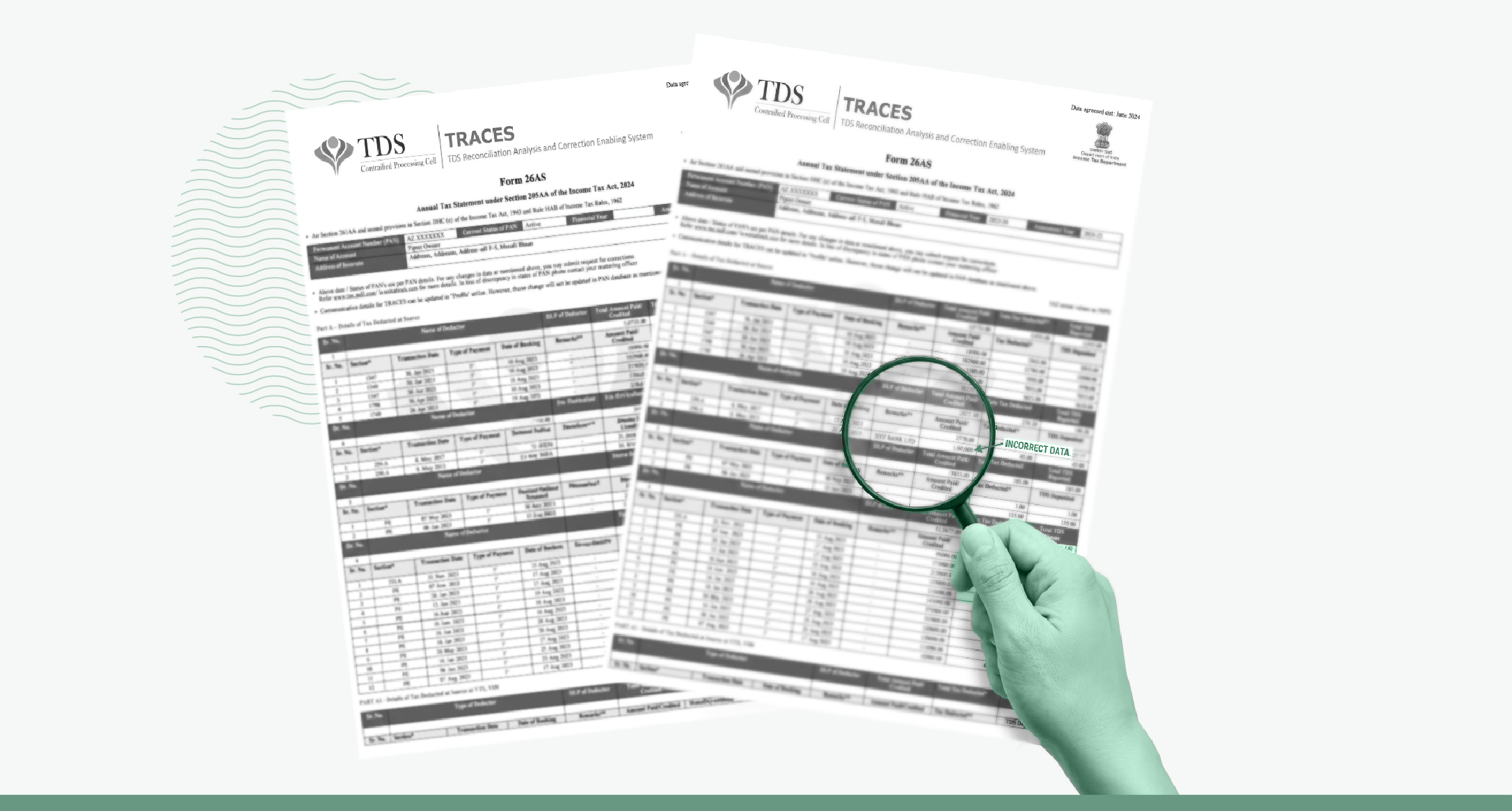
One reason your ITR refund stalls could be a TDS credit mismatch. It arises when the TDS you claim in your Income Tax Return (ITR) differs from the figure the Income Tax Department holds in your Form 26AS (now renamed as Form 168). The department treats that difference as a discrepancy and sends you an intimation under Section 143(1) of the Income Tax Act. Your refund then waits until the two figures match.
The amount can almost always be traced to its source and put right. Knowing where the figures come from, and who can fix them, turns a worrying notice into a short administrative task.
No, TDS credit mismatch and tax credit mismatch aren’t the same, though they are easy to confuse. The term TDS credit mismatch sits inside a larger one. A tax credit mismatch is the label the Income Tax Portal uses for any difference between what you claimed and what your Form 26AS shows, across the four kinds of tax credit it records. TDS is only one of those four, and salaried people needs to be aware of.
The other three include:
Tax Collected at Source (TCS) is collected by the seller on certain purchases, such as a luxury car or foreign tour package, and deposited with the government under your PAN.
Advance tax is paid by you in instalments during the year, instead of as one lump sum at the end, if your tax liability is high enough.
Also read: Check how much advance tax you owe with 1 Finance Advance Tax Calculator
Self-assessment tax is the balance you pay on your own before filing your return, after counting your income and subtracting everything already deducted or paid.
A TDS credit mismatch is only concerned with tax deducted at source (TDS).
Also read: TDS on salary: How does your employer calculate it?
Five situations can contribute to TDS credit mismatches.
A late or missing return is the most frequent cause. Your employer or bank deducts the tax correctly but files the quarterly TDS return, the statement of deductions it must submit, late or not at all. Until that statement reaches the system, the deduction stays off your Form 26AS, even though your Form 16 (now renamed as Form 130), the certificate your employer issues, already shows it. Check the TDS deductions, and immediately inform the HR/payroll department if you find any mismatch.
A wrong PAN sends your tax to the wrong record. If a mistyped PAN goes in with the filing, the credit is recorded against someone else’s account, and your own Form 26AS shows nothing against it.
An error in the deposit details costs you part of the credit. A wrong figure entered for one quarter, or a mistake in the challan, the reference that identifies the tax payment, leaves that portion unrecorded against your PAN.
A timing lag can do the same for a while. Tax deducted in March but deposited in April in the same financial year may appear only in the next quarter’s statement, so an amount missing from your record today may show up later.
Interest income is a common source outside salary. Your bank reports the full interest it paid you in your AIS, while your certificate shows only the tax taken from it. The two read as a TDS credit mismatch until you set the income and the tax side by side.

Book a session with a Qualified Financial Advisor today.
You can check TDS credit online on the Income Tax Portal using the following forms.
Forms you need to check TDS credit mismatch
You mainly need Form 26AS, the Annual Information Statement (AIS), and Form 16A to spot TDS credit mismatches before filing your return.
Form 26AS: Consolidated tax credit statement linked to your PAN; shows all TDS/TCS, advance tax, self‑assessment tax, and refunds for the year.
Annual Information Statement (AIS): Detailed, transaction‑wise view of income and financial transactions (interest, dividends, securities, mutual funds, rent, business receipts, foreign remittances, etc.) with the TDS/TCS and tax reported against each.
Form 16A: TDS certificate for non‑salary income such as interest, rent, professional fees, commission, and contract payments; shows payer details, amount paid, TDS deducted, and tax deposited against your PAN.
Read Form 26AS, AIS, and Form 16A together and confirm that every TDS entry is correctly reported and mapped to your PAN before you start your ITR.
How to download Form 26AS from the Income Tax e-Filing Portal
For the return you are filing this year, choose assessment year 2026-27, which covers the income you earned in FY 2025-26. The AIS opens from its own tab on the same portal, and reconciling the two before you start your ITR saves most of the trouble that follows.
As per the Income Tax Act 2025, Form 16 becomes Form 130, Form 16A becomes Form 131, and Form 26AS becomes Form 168. These changes apply from April 1, 2026, which marks the start of Tax Year 2026-27 and covers the income earned in that tax year, so the return you file this year still uses the familiar form names.
Lay your Form 16 beside Form 26AS and the AIS, then read the figures line by line before you claim anything. For example, take an employee whose Form 16 shows TDS of ₹80,000 for the year across all four quarters, checking all three documents first.
Form 16, Form 26AS, and AIS all showing ₹80,000
| Source | TDS shown |
|---|---|
| Form 16 (from employer) | ₹80,000 |
| Form 26AS | ₹80,000 |
| AIS | ₹80,000 |
Everything ties out, so the employee claims ₹80,000 and the refund flows without question. The same Form 16 figure against a Form 26AS that reads ₹60,000 tells a different story.
Form 26AS short of Form 16 by ₹20,000
| Source | TDS shown |
|---|---|
| Form 16 (from employer) | ₹80,000 |
| Form 26AS | ₹60,000 |
| AIS | ₹60,000 |
The ₹20,000 difference is the TDS credit mismatch. The employer deducted the full ₹80,000 from the salary but reported only ₹60,000 of it, most likely by skipping one quarter’s filing. Claim ₹80,000 against a record of ₹60,000 and the Income Tax Department flags the ₹20,000, holds the refund, or raises a demand for the shortfall.
Start by comparing your Form 16 against Form 26AS, quarter by quarter and for each employer or bank that deducted tax from you.
When your employer or bank is at fault, through a wrong PAN, a missing quarter, or a wrong amount, only they can put it right by correcting their filing. Ask them to do so, then re-check your Form 26AS after a few weeks, since the update takes time to appear.
If the figure is wrong only in your AIS, you can submit feedback against it on the Income Tax Portal and mark the correct amount. Where the slip is your own, a wrong claim or income entered in the wrong year, you correct it in the return before ITR filing, or through a revised return if you have already filed.
If the TDS credit mismatch surfaces only after you have filed, through a Section 143(1) intimation, respond online with a rectification request and choose the tax credit mismatch option. The law sides with you once the tax has been deducted from your income, because Section 205 stops the department recovering it from you a second time.
Consult a Qualified Financial Advisor today
Catching it before ITR filing beats correcting it afterwards in almost every case. A TDS credit mismatch caught now is a simple matter between you and your employer or bank, while one caught later brings a notice and a wait before you can put it right.
If a deadline leaves no room to wait for your employer or bank, claim the full tax that was deducted and keep your Form 16 as proof, then pursue the correction alongside. A revised return under Section 139(5) lets you set the claim right afterwards, up to March 31, 2027 for this year’s ITR filing, though a fee applies once you revise after December 31st, 2026.
A TDS credit mismatch usually comes down to a record that needs correcting. Finding it means reading your Form 16, Form 26AS, and AIS closely and reconciling every figure across them, down to the quarter and the source.
TDS reconciliation is slow, detailed work, and the volume of figures makes it easy to miss something. A Qualified Financial Adviser can read your Form 26AS and AIS against your full income, settle the nuances, and claim each credit in the right year before a mismatch reaches a notice.

The views in the article /blog are personal and that of the author. The idea is to create awareness and not intended to provide any product recommendations.


Earning above ₹10 lakh annually places you in one of the highest income tax bracket...
Section 54F is a powerful tool to save long-term capital gains tax when reinvesting ...

When you sell a capital asset and make a profit, you may have to pay capital gains ta...