

Got an income tax notice after filing your ITR? Read this before you respond
By Tejashree Satpute
ITR Filing
Jul 23, 2026

Plan Your Retirement with Our Qualified Financial Advisors

Your first financial plan is free
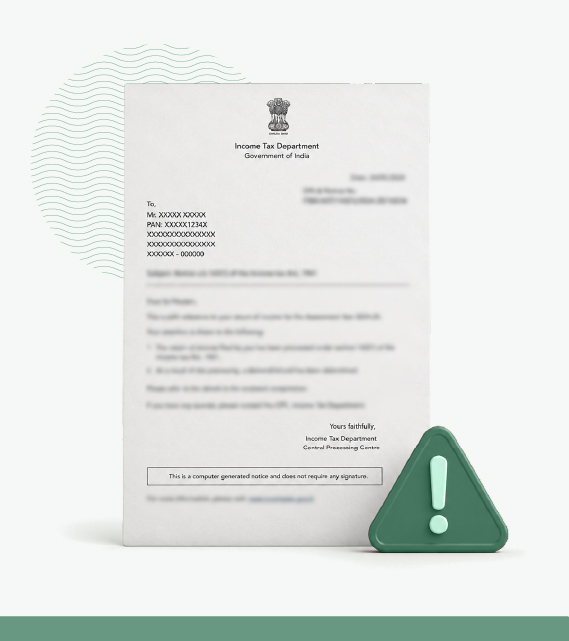
After ITR filing, an intimation notice arrives citing a tax credit mismatch, and the refund you expected shrinks by several thousand rupees, with no clear line explaining which entry failed to reconcile. The employer deducted the tax on time, the payslips confirm it, yet the credit refuses to show. Most taxpayers in this position assume they made an error, when the fault usually lies elsewhere.
Tax credit mismatches are common enough that the Income Tax Department built a dedicated portal service to flag them the moment a return is processed. Filing dates, deductor reporting cycles, and differences between Form 168 and the Annual Information Statement (AIS) account for nearly every case a salaried taxpayer meets. Each of these has a documented remedy under the Income Tax Act, and knowing which one applies is what turns a stalled refund into a solved problem.
A tax credit mismatch happens when the TDS, TCS, or tax payments you claim in your ITR don’t match the figures recorded against your PAN in Form 168 (previously named Form 26AS). The Income Tax Department’s own Tax Credit Mismatch service compares these two sets of numbers line by line after you file, and flags every entry where they diverge.
The comparison covers four categories of tax credit.
A mismatch in any one of these is enough to reduce your refund or raise a demand.
Also Check: Calculate how much advance tax you owe with 1 Finance Advance Tax Calculator
The Income Tax Act 2025, in force from April 1st, 2026, has renamed several forms and renumbered most sections of the earlier law. Form 26AS becomes Form 168, Form 16 becomes Form 130, and Form 71 becomes Form 102, with the contents of each unchanged.
Returns for Tax Year 2026-27, (filed this season for FY 2025-26), still use these familiar names and the Income Tax Act 1961 section numbers cited through this guide, since income earned up to March 31st, 2026 falls under the old law. The new names apply to Tax Year 2026-27 income onward, so recognising both saves confusion as the change settles in.
The Income Tax e-Filing Portal shows a mismatch within a few clicks.
Log in, open Services, and select Tax Credit Mismatch. Enter your PAN and the relevant assessment year, and the portal lays out a line-by-line comparison between what your ITR claimed and what Form 168 (previously Form 26AS) records.
A clean result reads “Tax Credit Claimed is Fully Matched with Tax Credit Available in 26AS.” Any divergence appears as a mismatch record, which you can download in PDF or Excel when there are more than ten entries.
Before relying on this screen alone, open your Annual Information Statement (AIS) and Taxpayer Information Summary (TIS) as well. AIS captures a wider set of third-party data, including savings account interest, dividends, and mutual fund redemptions, that Form 168 on TRACES no longer shows for AY 2023-24 onward.
Reconciling both statements before you file is the surest way to prevent a tax credit mismatch rather than chase it afterwards.
Three habits stop most mismatches before an intimation ever arrives.
Five situations produce most tax credit mismatches, drawing on what taxpayers and tax professionals report.
Filing before Form 168 is complete. Q4 TDS returns carry a statutory deadline of May 31st for deductors, so a return filed in early April shows an incomplete Form 168 even when the employer deducted tax correctly.
A PAN error at the deductor’s end. A wrong or inoperative PAN recorded by your employer or bank means the TDS never links to your account in Form 168, however long you wait.
TDS deducted but not deposited, or filed against the wrong TAN or year. This is a deductor-side failure, and only the deductor can file a correction statement to put it right.
Also read: TDS on salary: How does your employer calculate it?
A timing difference between the year income is taxed and the year TDS is deducted. This trips up higher earners with fixed deposits, bonds, or professional income most often, and the example below walks through it.
AIS and Form 168 showing different income. Since AY 2023-24, Form 168 on TRACES carries only TDS and TCS, while advance tax, self-assessment tax, refunds, and third-party financial data sit in AIS. Treating either statement as the complete picture is itself a source of mismatch.
The right remedy depends on a single question: has an intimation under Section 143(1) reached you yet? The answer decides which of three routes applies.
No intimation yet. File a revised return under Section 139(5). Once you have spotted the shortfall and Form 168 has caught up with the actual deduction, correct the figures and resubmit the return.
Intimation already received. File a rectification request under Section 154, since a revised return is no longer open to you. Ask the deductor to file a correction statement first, and once Form 168 updates, log into the portal’s Rectification service and select Tax Credit Mismatch.
A pure timing issue, like the FD above. File Form 102 instead. The form exists to pull TDS credit back to the earlier year where the income was already declared and taxed, which a revised return cannot do once that year is closed.
A rectification request must generally be filed within four years from the end of the financial year in which the intimation or order was passed, so the window is wide but finite.
Ignoring a flagged mismatch carries three consequences.
Prevention is faster than any remedy, and five checks before you file remove nearly every mismatch.
| Step | What to check | Why it matters |
|---|---|---|
| Wait until after May 31st | Q4 TDS return deadline for deductors | Filing earlier leaves your Form 168 incomplete |
| Download Form 168 and AIS separately | TDS and TCS in Form 168, broader income data in AIS | The two statements have covered different data since AY 2023-24 |
| Match TAN, income, and TDS amount line by line | Every Form 130 or Form 131 entry against Form 168 | A single mismatched field blocks the full credit |
| Confirm PAN accuracy with every deductor | Bank, employer, and any other party deducting tax | A wrong PAN means the TDS never links to your account |
| Report every AIS income entry in your ITR | Bank interest, dividends, mutual fund redemptions | Unreported income triggers more notices than a TDS shortfall |
A tax credit mismatch is usually a timing difference or a reporting error, both of which the Income Tax Department’s systems are built to catch and correct once you know where to look. Reconciling Form 168 and AIS before you file turns a multi-month rectification cycle into a ten-minute check.
A mismatch that stems from a real timing issue, such as interest on fixed deposits, bonds, or arrears spread across years, calls for a remedy that depends on facts specific to your holdings and your filing history. A SEBI-registered, commission-free Qualified Financial Adviser can read your Form 168, AIS, and ITR together and identify whether a revised return, a rectification request, or a Form 102 application fits your case before a deadline closes on it.
Published on 18 Jul 2026, 11:07 am IST

The views in the article /blog are personal and that of the author. The idea is to create awareness and not intended to provide any product recommendations.


Plan Your Retirement with Our Qualified Financial Advisors
Your first financial plan is free